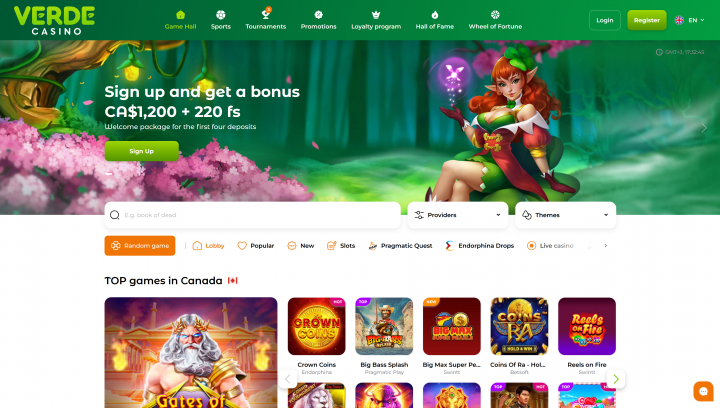
Moving between phones, tablets, and desktop computers is common for players who want to keep their preferred casino games accessible at any moment. The mobile version of Verde Casino is built to handle these transitions smoothly, yet each device type brings its own technical requirements and user settings. Understanding how the casino app behaves across operating systems, how to install it correctly, and how to maintain performance will help users avoid interruptions when they move from one screen to another. The following guide explains the practical steps required to install, configure, and optimise the Verde Casino app on different devices while keeping personal data secure.
Main In-App Features That Differ from the Desktop Site
The mobile app offers several tools that are either absent or harder to use on the desktop site. A quick-deposit panel appears at the bottom of the lobby screen, letting users to add funds with two taps instead of navigating through multiple menus. The same panel keeps the last three payment methods used, cutting down on typing errors on smaller keyboards.
Another mobile-exclusive function is the “session timer.” When activated in the settings menu, the timer presents a small clock that counts elapsed minutes and sends an optional vibration alert every thirty minutes. This helps players track time spent without needing to leave the game screen. In addition, the app supports biometric login through fingerprint or facial recognition, skipping the need to enter a password on every launch while still demanding the full login once every seven days for security compliance.
FAQ
Which operating systems does the Verde Casino app support?
Aplikace je kompatibilní s Android 7.0 a novějšími as well as iOS 12.0 a vyššími. Zařízení, která splňují tyto minimální verze, dostávají stejný set funkcí, včetně biometrického přihlášení a push notifikací. Starší operační systémy mají stále přístup na webovou verzi, avšak některé funkce, například časovač sezení, nebudou k dispozici.
Je download aplikace placený?
Nikoliv. Aplikace Verde Casino je bezplatná k downloadu z Google Play Store a Apple App Store. Standard data charges from your mobile provider may apply if you download over a cellular network instead of Wi-Fi. There are no in-app purchase fees required to play for real money.
Je možné instalovat aplikaci na několik přístrojů současně?

Yes. Můžete instalovat aplikaci na jakýkoli počet telefonů nebo tabletů, verdecasino aplikacija android, které jsou vaše. Každý přístroj se musí přihlásit s stejnými přístupovými daty účtu. Systém kasina umožňuje pouze jednu aktivní hru sezení najednou, aby zabránil duplicitným stávkám přes přístroje.
Jak postupovat, když download na Androidu je zablokován?
Překontrolujte, že “Instalovat neznámé aplikace” je aktivováno pro váš browser v zabezpečovacích nastaveních telefonu. Pokud nastavení je již zapnuto, pokuste deaktivovat libovolné bezpečnostní aplikace třetích stran dočasně, a poté pokuste download znovu. Reaktivujte bezpečnostní aplikaci, jakmile instalace je kompletní.
Je datová spotřeba aplikace vyšší než u desktopové verze?
Živé dealerové stoly mají podobnou datovou spotřebu na obou platformách. The mobile app may use slightly less because it loads fewer background scripts. Hráči mohou dále snížit datovou spotřebu snížením kvality videa v menu nastavení aplikace před začátkem živé sezení.
How often are app updates released?
Updaty se objevují každé čtyři až šest týdnů a obvykle zahrnují zabezpečovací patche a nové vydání her. Both the Google Play Store and the Apple App Store deliver these updates automatically when your device is connected to Wi-Fi. Manuální updaty mohou být aktivovány z stránky store, pokud je to požadováno.
Bude můj zůstatek na účtu přenesen při přepnutí zařízení?
Yes. Všechny informace o zůstatku a bonusu jsou uloženy na serverech kasina, takže přihlášení do aplikace na libovolném podporovaném zařízení zobrazí aktuální hodnoty. Pouze aktivní hry kola musí být dokončeny na originálním přístroji, než nová sezení může začít jinde.
Selecting the Correct Device for Mobile Play
Verde Casino’s mobile app operates on both iOS and reddit.com Android, but the two platforms contrast in how they enable third-party downloads. iOS users must rely on the App Store, which implies the app has already passed Apple’s security checks. Android users can choose between the Google Play Store and a direct download from the casino’s site. Before downloading, it is beneficial to evaluate screen sizes, processor speed, and RAM capacity. A device with at least 3 GB of RAM and a recent dual-core processor will generally display smooth graphics during live dealer sessions and will not get too hot after an hour of continuous play.
Players should also verify whether their phone or tablet supports the latest operating-system version required by the app. Verde Casino’s support page lists the minimum iOS and Android versions, and these numbers are refreshed whenever a major release occurs. Older devices that cannot run the required system version will still display the browser-based site, yet they will miss push-notification features and faster loading times that the dedicated app offers.
Switching Between Devices Without Losing Your Place
Verde Casino holds all account data on secure servers, so moving from a phone to a tablet does not require manual file transfers. The player only logs in on the second device and sees the same balance, open bets, and loyalty points. However, active game rounds don’t carry over; a slot spin or blackjack hand started on one device has to be finished there before the player may join a new round elsewhere.
To prevent accidental duplicate bets, the app displays a warning each time the same game gets opened on a second device while a session remains active on the first. The warning features a “close other session” button that terminates the earlier connection within ten seconds. This safeguard protects players from betting twice on the same hand or spin and supports maintaining compliance with the casino’s single-session policy.
Installing and Setting up the App on Android
Android users who opt for the direct download must first permit installations from unknown sources. On most phones this setting is located under Settings, Security, or Apps, according to the Android version. After the toggle is activated, the user loads the casino’s mobile site in a browser, presses the Android download button, and awaits the APK file to finish transferring. The file size is typically between 40 MB and 60 MB, so a stable Wi-Fi connection is advised to avoid mobile-data charges.
Once the download completes, the user clicks the notification or accesses the file manager to start installation. A brief permissions screen appears, asking for access to storage and, on some devices, to the phone’s vibration motor for haptic feedback during spins. After installation ends, the app icon shows up in the app drawer. The first launch triggers a short verification step where the user inputs the same login credentials used on the desktop site, allowing the account balance and game history to sync immediately.
Managing Performance and Bandwidth Usage
Live dealer streams consume the greatest portion of mobile data. A standard-definition stream uses approximately 1.5 GB per hour, while high-definition can surpass 3 GB. Gamers who expect long sessions should connect to Wi-Fi or tweak the video quality setting inside the app to “standard” before beginning a table. The setting is available under More, Video Quality, and it is saved for future launches.
Graphics-heavy slot games also profit from a short optimisation step. Before launching a new title, the app shows a small pop-up that suggests to download additional art assets. Agreeing to this download cuts down on lag during reel spins because the files are stored locally rather than streamed each time. Customers can clear these assets later through the app’s storage-management screen if device space becomes scarce.
Getting and Configuring the App on iOS
iOS users access the App Store on their device, search for “Verde Casino,” and press the cloud icon or Get button. Because the app is listed publicly, no additional verification steps are needed beyond the usual Apple ID password or Face ID scan. The download size is like the Android version, and the installation finalizes automatically once the progress bar reaches 100 percent.
After the app icon is visible on the home screen, the first launch asks for permission to send push notifications. Enabling this feature lets the casino to alert the player about time-limited tournaments or expiring bonuses without needing the app to remain open. If a player later chooses to disable notifications, the setting can be changed in the iOS Settings menu under Notifications, where each alert type can be toggled individually.